Instead of waiting for manually prepared spreadsheets or disconnected departmental reports, businesses can use ERP reporting to understand financial performance, sales, inventory, purchasing, employee activity and operational performance from a connected source of information.
Table of Contents
1. Turn ERP Data Into Actionable Information
Every sales order, purchase, invoice, payment, stock movement, employee transaction and expense creates business data. The challenge is not simply collecting that data—it is understanding what it means.
ERP reporting brings information from different business functions into structured reports. Instead of checking separate spreadsheets, managers can review connected information from finance, sales, inventory, procurement, HR and other departments.
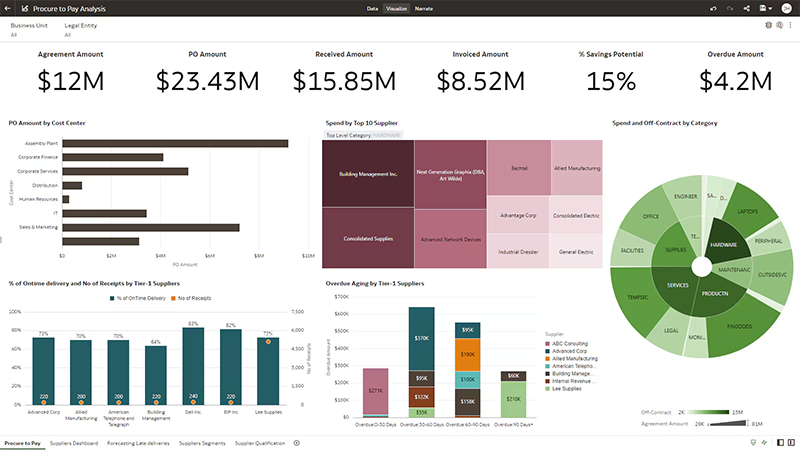
This creates a stronger foundation for decision-making because managers can work with consistent information rather than manually combining numbers from multiple sources.
A useful reporting strategy should begin with the decisions the business needs to make and then identify the data and KPIs required to support those decisions.
2. Monitor KPIs With Real-Time Dashboards
Key performance indicators help management understand whether the business is moving toward its goals. An ERP dashboard can bring important KPIs together in a visual format so users can identify changes quickly.
Depending on the business, dashboards may include revenue, sales growth, gross margin, receivables, cash position, inventory value, order volume, purchasing performance, employee metrics and operational indicators.

Track Performance
Monitor important business metrics and compare current performance with previous periods.
Spot Exceptions
Identify unusual changes, missed targets and operational issues faster.
Improve Visibility
Give managers a clearer view of business performance from one reporting environment.
3. Improve Financial Decision-Making
Financial reporting is one of the most important uses of ERP analytics. Finance teams can use ERP data to monitor revenue, expenses, profitability, receivables, payables and cash flow.
Instead of reviewing isolated accounting records, management can analyze financial performance across different periods, branches, departments, products or business units.

Financial reports can also help managers compare actual results against budgets and identify important variances. This allows the organization to investigate why performance changed rather than simply observing the final numbers.
| Financial Insight | What It Helps Management Understand |
|---|---|
| Revenue Trend | Whether sales are growing, declining or changing across specific periods. |
| Profit Margin | Which products, customers, branches or business units contribute to profitability. |
| Receivables | Where outstanding customer payments may affect cash flow. |
| Budget vs Actual | Where actual spending or revenue differs from planned targets. |
4. Make Better Sales and Customer Decisions
ERP analytics can help sales managers understand which products are selling, which customers generate the most revenue and how sales performance changes over time.
Sales reports can be filtered by product, salesperson, customer, region, branch, date or other business dimensions. This makes it easier to identify high-performing products, weak sales areas and changing customer demand.
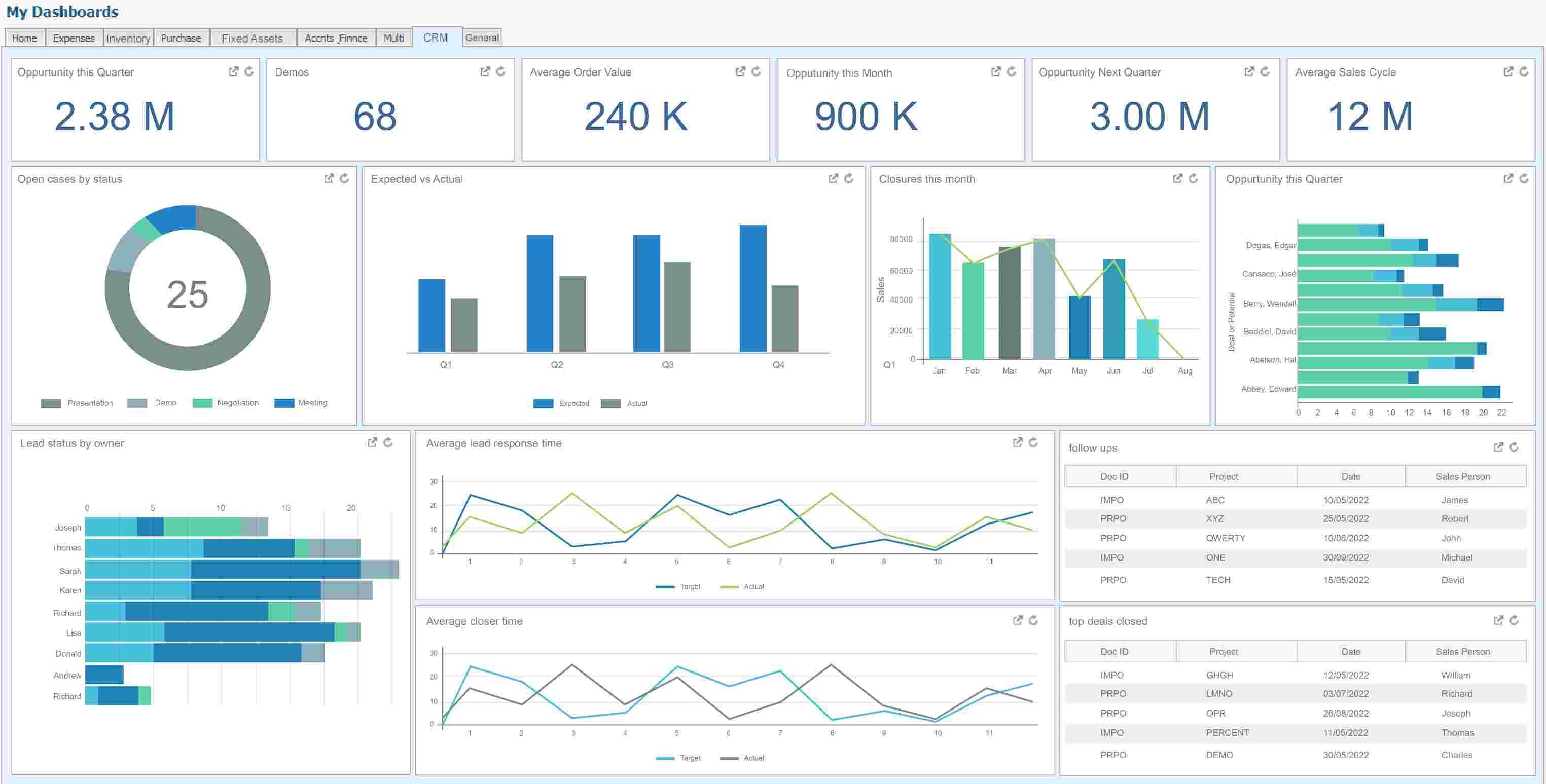
Managers can use these insights to adjust sales targets, improve customer follow-up, identify cross-selling opportunities and allocate sales resources more effectively.
Sales Performance
Compare sales across products, salespeople, branches, regions and time periods.
Customer Insights
Understand customer purchasing behavior, revenue contribution and outstanding balances.
5. Optimize Inventory and Operational Performance
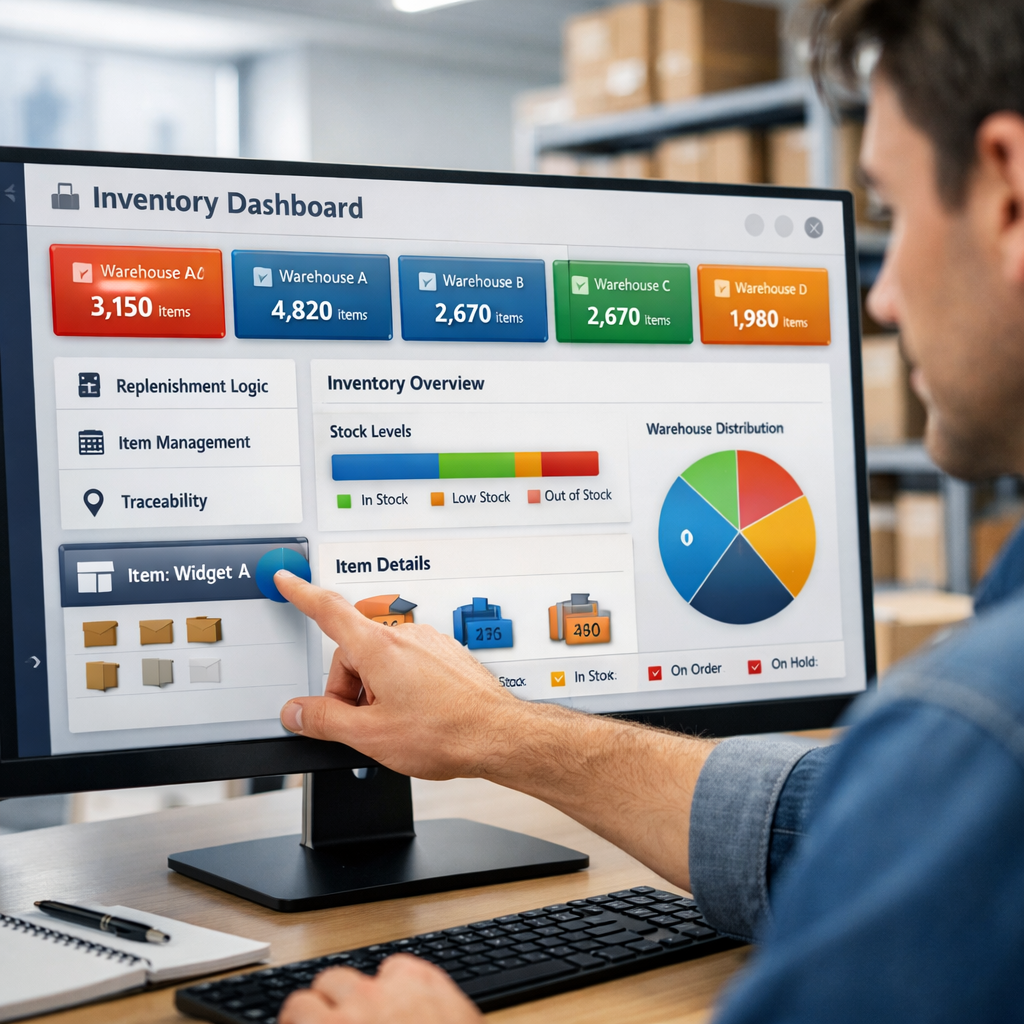
Inventory and operations generate large volumes of ERP data. Reports can help businesses understand stock levels, inventory turnover, product movement, purchasing activity and replenishment requirements.
Instead of discovering stock problems after they affect sales, managers can use analytics to monitor inventory performance and investigate unusual movements.
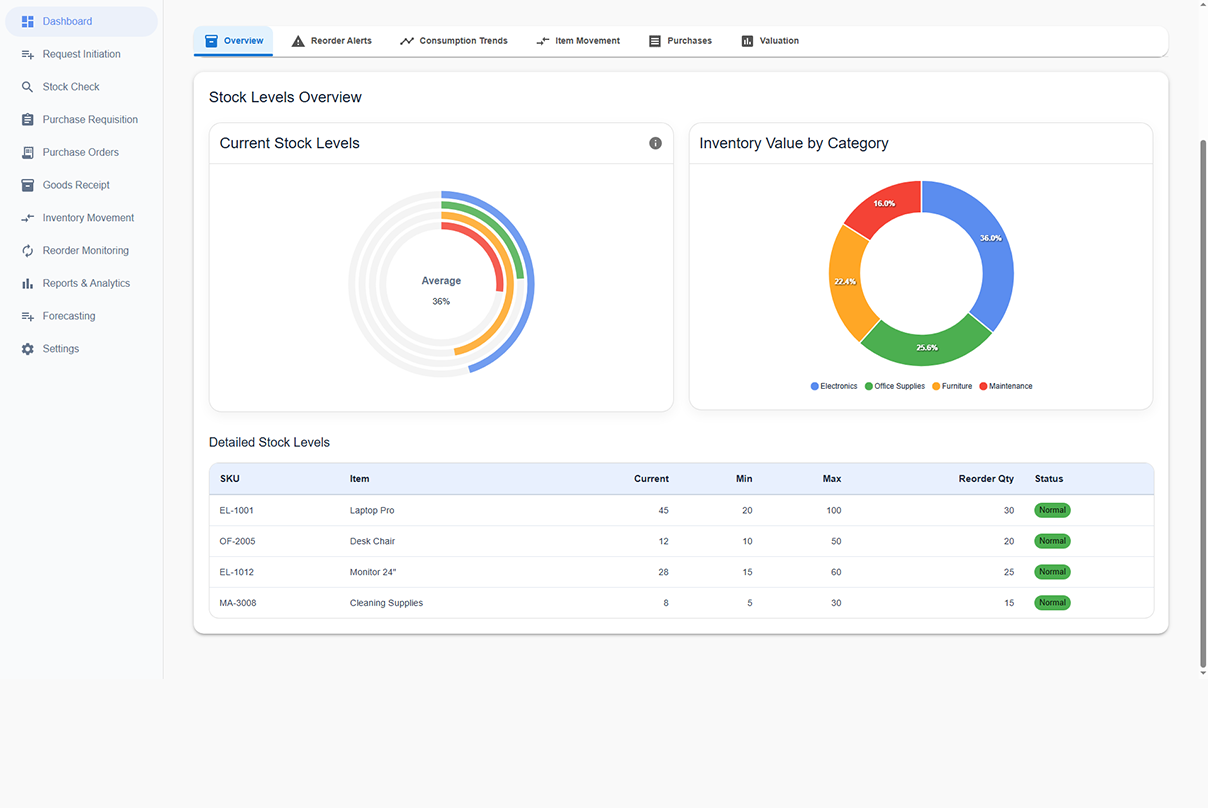
Inventory analytics can be especially useful for identifying slow-moving products, low-stock items, excessive inventory and changing demand patterns.
Stock Levels
Monitor current inventory across locations.
Stock Movement
Analyze product movement and turnover.
Stock Risks
Identify potential shortages and excess stock.
Reordering
Support smarter purchasing and replenishment.
6. Identify Trends, Risks and Business Opportunities
Historical ERP data can reveal patterns that may not be obvious from individual transactions. Analytics allows businesses to compare periods, examine trends and investigate changes in performance.
For example, management may discover that a particular product is becoming less profitable, a branch is consistently outperforming others, purchasing costs are increasing or employee turnover is changing.
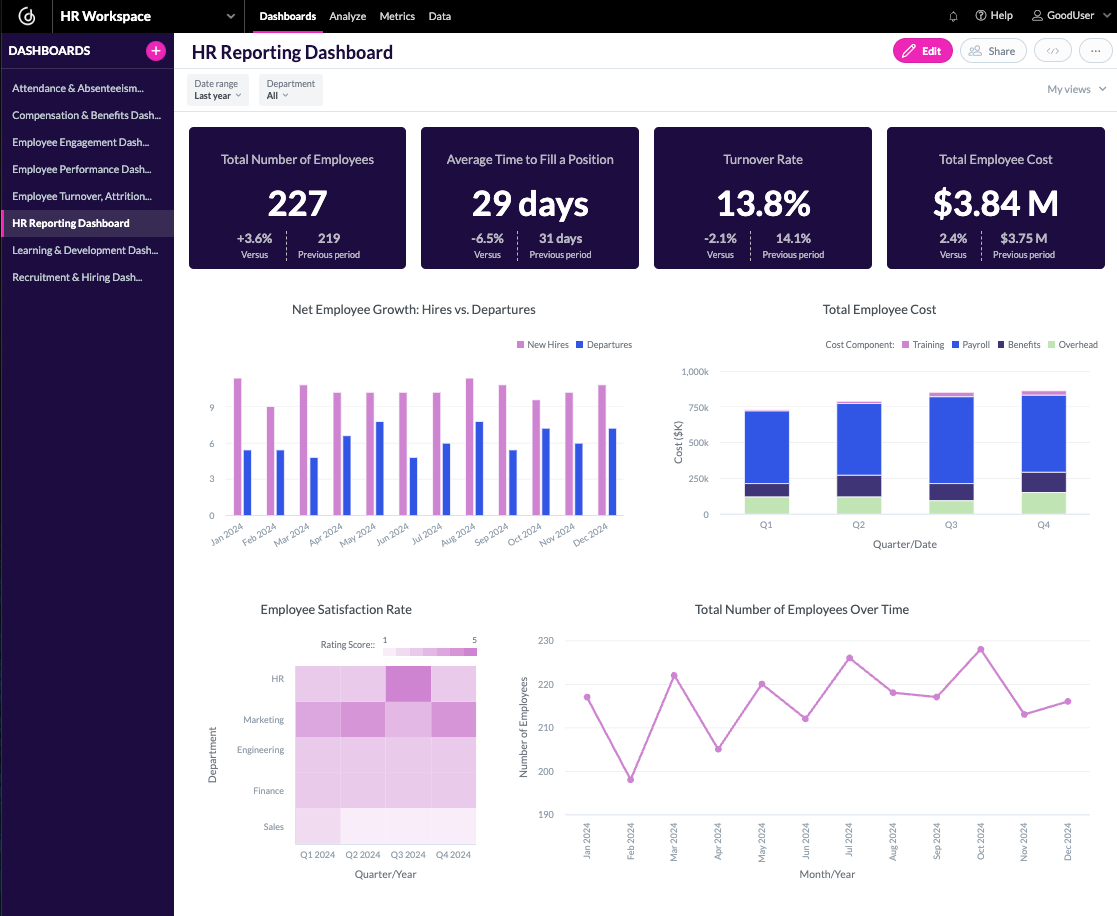
These insights can help managers move from reactive management toward proactive planning. The goal is not simply to generate more charts, but to identify information that can influence an actual business decision.
Trends
Compare historical performance and identify changing business patterns.
Risks
Detect unusual costs, declining sales, stock problems and performance gaps.
Opportunities
Discover profitable products, customer segments and areas for operational improvement.
7. Turn Analytics Into Faster Business Decisions
Reports become valuable when they lead to action. A dashboard may show that sales are falling, inventory is increasing or expenses are above budget—but management still needs to investigate the reason and decide what to do next.
This is why effective ERP analytics should connect summary information with detailed business records. Managers should be able to move from a KPI or chart into the underlying transactions when deeper investigation is required.
Role-based reporting is also important. A CFO may need profitability and cash-flow information, while a sales manager needs revenue and customer performance. A warehouse manager may need stock and order metrics.
Giving every user the same dashboard can create information overload. Better ERP reporting delivers the information that each role needs to make decisions effectively.
What Can You Analyze With ERP Reports?
Finance & Accounting
Revenue, expenses, profitability, receivables, payables, cash flow and financial statements.
Sales & Customers
Sales trends, customer performance, product sales, orders and salesperson performance.
Inventory
Stock levels, turnover, product movement, inventory value and reorder requirements.
Procurement
Supplier performance, purchase orders, spending, delivery and purchasing trends.
HR & Workforce
Employee counts, attendance, hiring, turnover, workforce costs and performance metrics.
Executive KPIs
High-level business performance, profitability, growth, risks and operational indicators.
Traditional Reporting vs. ERP Analytics
| Business Reporting | Traditional Manual Reporting | ERP Reports & Analytics |
|---|---|---|
| Data Source | Multiple spreadsheets and systems | Connected ERP business data |
| Data Preparation | Often requires manual collection and consolidation | Reports can be generated directly from ERP data |
| Visibility | Often delayed | Current or frequently refreshed information, depending on system configuration |
| Analysis | Basic tables and manually prepared charts | Dashboards, KPIs, trends and drill-down analysis |
| Decision Support | Managers may need to interpret several reports | Role-based insights can highlight important business information |
How ERP Analytics Supports Better Decisions
A strong ERP reporting process connects business transactions with meaningful insights and then turns those insights into practical action.
Capture Business Data
Sales, purchases, finance, inventory, HR and other business activities are recorded in the ERP.
Consolidate Information
Connected ERP data provides a common foundation for reporting and analysis.
Generate Reports
Reports transform transactions into structured business information.
Analyze KPIs
Managers review KPIs, trends, comparisons, exceptions and performance indicators.
Investigate
Drill into detailed transactions to understand the reasons behind important changes.
Take Action
Management uses the insight to adjust plans, resources, budgets or operational processes.
ERP Reporting & Analytics Checklist
Before implementing or improving ERP reporting, make sure your system can support the following requirements.
- Executive KPI dashboards
- Financial reports and profitability analysis
- Sales and customer performance reports
- Inventory and stock movement analytics
- Purchase and supplier performance reporting
- Branch, department and product-level analysis
- Budget vs. actual comparisons
- Trend and variance analysis
- Role-based dashboards and reporting
- Drill-down from summary KPIs to detailed transactions
- Export options such as Excel or PDF where required
- Secure access to sensitive business information
Conclusion
ERP reports and analytics can transform business data from a collection of transactions into a practical decision-making resource. By combining financial, sales, inventory, procurement, HR and operational information, management can develop a clearer understanding of how the business is performing.
The most effective ERP reporting strategy is not about creating as many reports as possible. It is about delivering the right information to the right people at the right time and connecting that information to real business decisions.
With well-designed dashboards, KPIs, detailed reports and analytics, businesses can identify problems earlier, understand trends more clearly, allocate resources more effectively and make decisions with greater confidence.
Turn Your ERP Data Into Better Decisions
Give your management team clearer visibility into finance, sales, inventory and operations with powerful ERP reports and analytics.
Explore ERP Analytics