Instead of relying on spreadsheets, emails and disconnected software, businesses can use Cloud ERP to automate workflows across finance, sales, inventory, purchasing, HR and operations. This helps employees spend less time on repetitive tasks and more time on higher-value business activities.
Table of Contents
- 1. Automate Financial and Accounting Processes
- 2. Automate Sales and Order Processing
- 3. Automate Inventory and Reordering
- 4. Automate Purchasing and Approval Workflows
- 5. Automate HR and Payroll Processes
- 6. Automate Reports and Business Monitoring
- 7. Connect All Business Processes in One Cloud Platform
- How Cloud ERP Business Automation Works
- What to Look for in a Cloud ERP Automation Solution
1. Automate Financial and Accounting Processes
Finance teams often spend significant time processing invoices, recording transactions, matching payments, managing expenses and preparing financial reports.

Cloud ERP can automate many routine accounting workflows. For example, invoices can be generated from sales transactions, expenses can be recorded through standardized processes and financial information can flow into reports without repeatedly entering the same data.
This reduces repetitive administrative work and helps finance teams maintain more consistent and up-to-date financial records.
2. Automate Sales and Order Processing
Sales automation does not mean replacing the sales team. It means removing repetitive administrative tasks so sales representatives can focus more on customers and opportunities.

A Cloud ERP system can connect quotations, sales orders, inventory availability, delivery information and invoicing. When a sales order is confirmed, relevant information can move into the appropriate operational workflows.
This reduces manual re-entry and helps sales, warehouse and finance teams work from the same transaction information.
3. Automate Inventory and Reordering
Inventory management becomes more difficult when businesses depend on spreadsheets or manually updated stock records. Employees need to know what is available, what has been sold and what needs to be replenished.
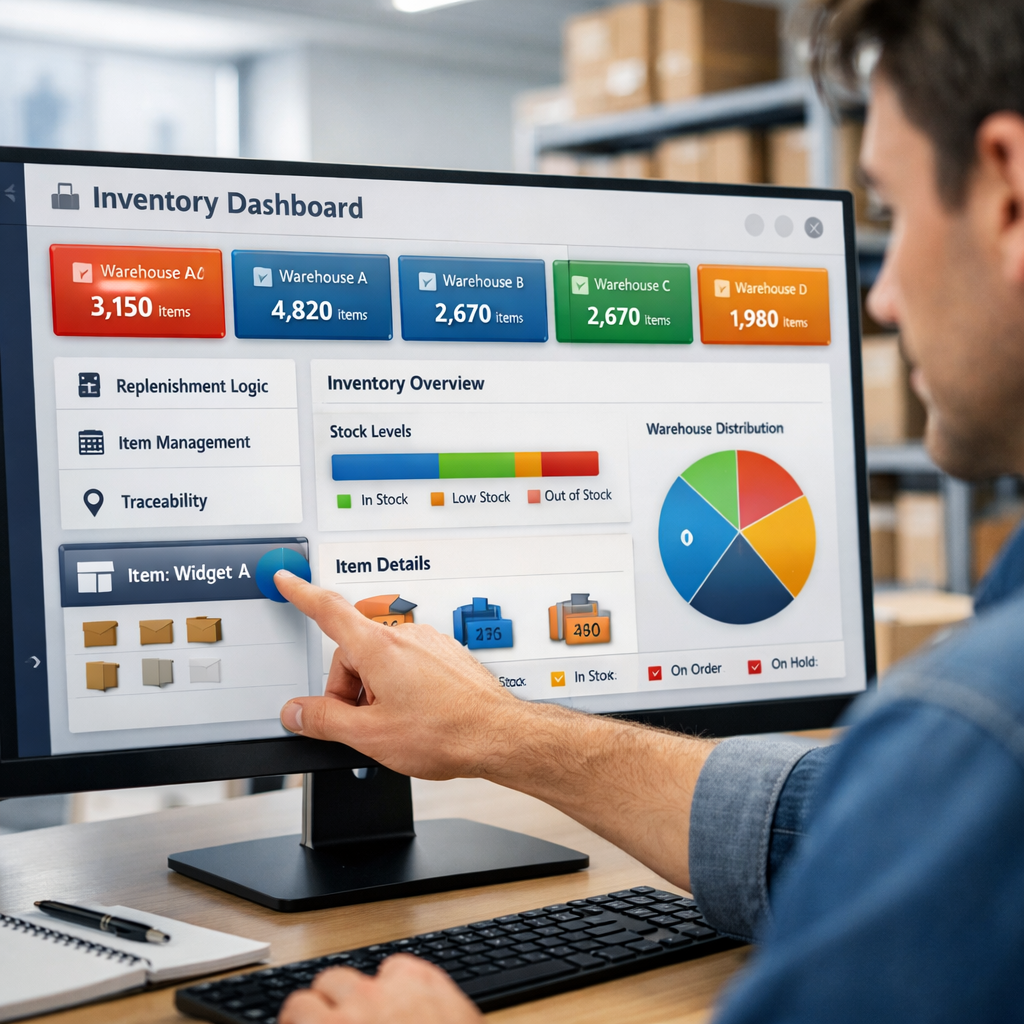
Cloud ERP can automate stock updates when purchases, sales, returns or transfers are recorded. Businesses can also configure reorder rules and stock-level alerts according to their operational requirements.
With connected inventory information, purchasing and sales teams can make decisions using more current stock information instead of manually checking several spreadsheets.
4. Automate Purchasing and Approval Workflows
Purchasing often involves multiple steps. An employee creates a request, a manager reviews it, procurement selects a supplier, the purchase order is created and finance eventually processes the related invoice.

Cloud ERP can organize these steps into a structured workflow. Purchase requests can be routed to the appropriate approver, purchase orders can be generated from approved requests and procurement information can remain connected with inventory and finance.
Automated approvals can also make it easier to identify pending requests and reduce delays caused by manual follow-up.
5. Automate HR and Payroll Processes
HR teams manage employee information, attendance, leave, payroll and other recurring administrative activities. Managing these processes manually can become increasingly difficult as the workforce grows.

Cloud ERP can connect employee information with attendance, leave and payroll workflows. Repetitive calculations and standardized approval processes can be automated according to the organization's policies.
This allows HR teams to spend less time maintaining separate spreadsheets and more time supporting employees and workforce planning.
6. Automate Reports and Business Monitoring
Business leaders need timely information to understand sales, cash flow, inventory, expenses and overall operational performance. Preparing these reports manually can take hours or even days.

A Cloud ERP system can collect data from multiple business functions and present it through dashboards and reports. This allows managers to monitor key performance indicators without waiting for different departments to prepare separate spreadsheets.
Automated reporting can help management identify changes, investigate problems and make decisions using current business information.
7. Connect All Business Processes in One Cloud Platform
The biggest advantage of Cloud ERP automation is not simply automating individual tasks. It is connecting those tasks across departments.

A customer order can affect inventory, accounting, delivery and reporting. A purchase can affect stock, accounts payable and cash flow. An employee's attendance can affect payroll. Cloud ERP connects these relationships through shared data and workflows.
This connected approach reduces information silos and gives businesses a more complete view of their operations.
What Can You Automate With Cloud ERP?
Finance
Automate invoicing, expenses, accounting workflows, payments and financial reporting.
Sales
Connect quotations, orders, customer information, inventory and sales transactions.
Inventory
Automate stock updates, transfers, reorder alerts and warehouse processes.
Procurement
Manage purchase requests, approvals, purchase orders and supplier transactions.
HR & Payroll
Automate attendance, leave, employee records and payroll-related workflows.
Reporting
Generate dashboards, business reports and KPI insights from connected operational data.
Manual Business Processes vs. Cloud ERP Automation
| Business Activity | Manual Process | Cloud ERP Automation |
|---|---|---|
| Invoicing | Employees prepare and update invoices manually. | Invoices can be generated from connected sales transactions. |
| Inventory | Stock is updated through spreadsheets or manual entries. | Stock movements can update inventory records automatically. |
| Purchasing | Requests and approvals are handled through email or paper. | Requests can follow predefined approval workflows. |
| Payroll | HR manually combines attendance and salary information. | Employee and attendance information can feed payroll workflows. |
| Reporting | Employees collect information from different spreadsheets. | Reports can use centralized business data. |
| Approvals | Employees manually follow up with managers. | Workflow rules can route requests to appropriate approvers. |
How Cloud ERP Business Automation Works
Cloud ERP automation works by connecting business data with predefined workflows. A typical automated process can move through several connected stages.
Business Request
An employee creates a sales order, purchase request, expense or another business transaction.
Workflow Rule
The ERP system identifies the appropriate workflow based on configured business rules.
Approval
The request is automatically routed to the appropriate person when approval is required.
Automated Action
Once approved, the next business process can continue automatically.
Data Update
Connected modules receive the relevant transaction and operational information.
Reporting
Updated information becomes available for dashboards, reports and business decisions.
What to Look for in a Cloud ERP Automation Solution
Not every business needs the same level of automation. Before choosing a Cloud ERP platform, consider whether it supports the workflows that are most important to your organization.
- Automated finance and accounting workflows
- Sales and order process automation
- Real-time inventory updates
- Purchase request and approval workflows
- Automated HR and payroll processes
- Real-time dashboards and business reporting
- Role-based approval and access controls
- Multi-branch and multi-location support
- Mobile and cloud-based accessibility
- Integration with CRM, payment and other business tools
- Scalable architecture for future business growth
Conclusion
Business automation with Cloud ERP is about more than simply reducing manual data entry. It is about connecting the processes that keep a business running and allowing information to move between departments more efficiently.
From finance and sales to inventory, procurement, HR and reporting, Cloud ERP can automate repetitive workflows while giving teams a shared view of business information.
For growing businesses, this connected approach can help reduce administrative work, improve process consistency, increase visibility and create a stronger foundation for scalable operations.
Ready to Automate Your Business With Cloud ERP?
Connect finance, sales, inventory, purchasing, HR and reporting in one cloud-based ERP platform and build smarter automated business workflows.
Explore Cloud ERP